


1️⃣ Enable YouTube Data API v3
1. Go to Google Cloud Console → https://console.cloud.google.com.
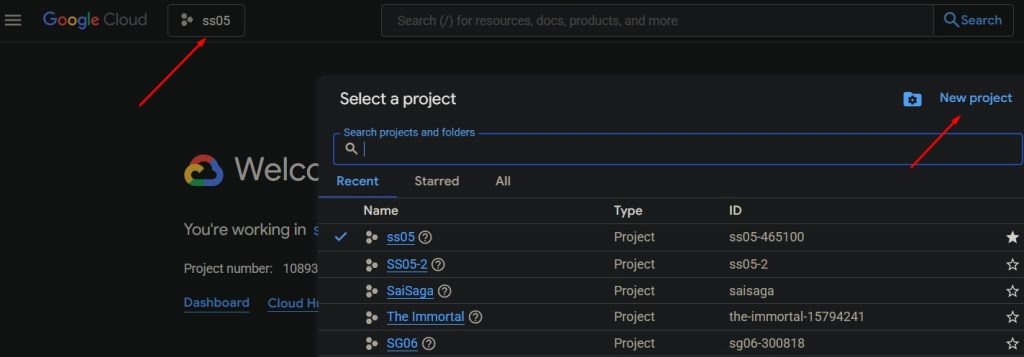
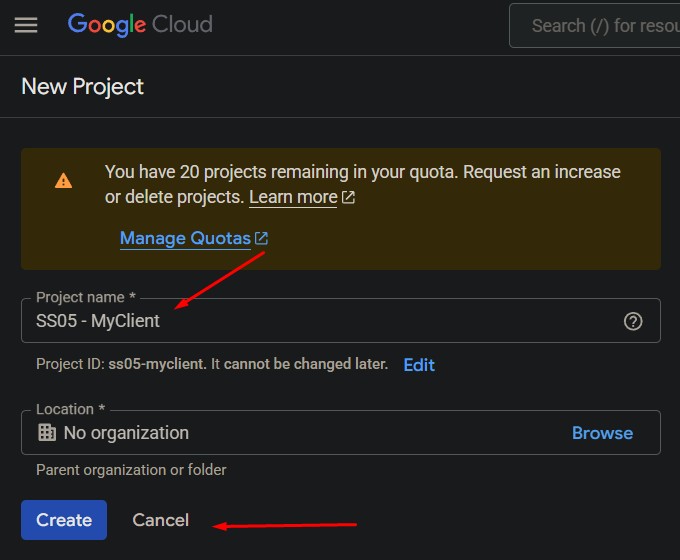
2. Select an existing project or create a new one.
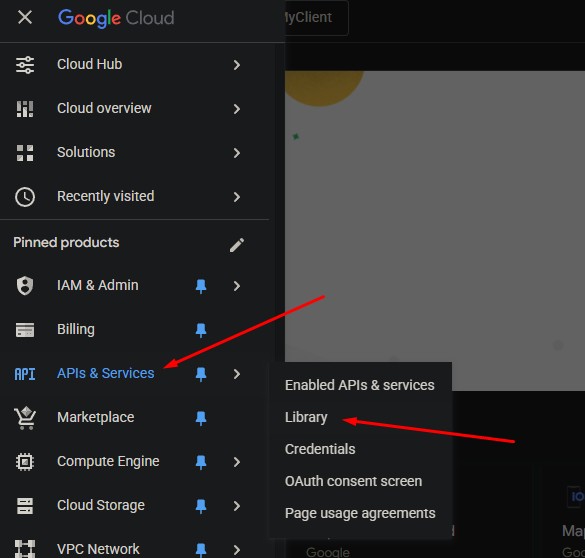
3. Navigate to APIs & Services → Library.
4. Search for “YouTube Data API v3”.
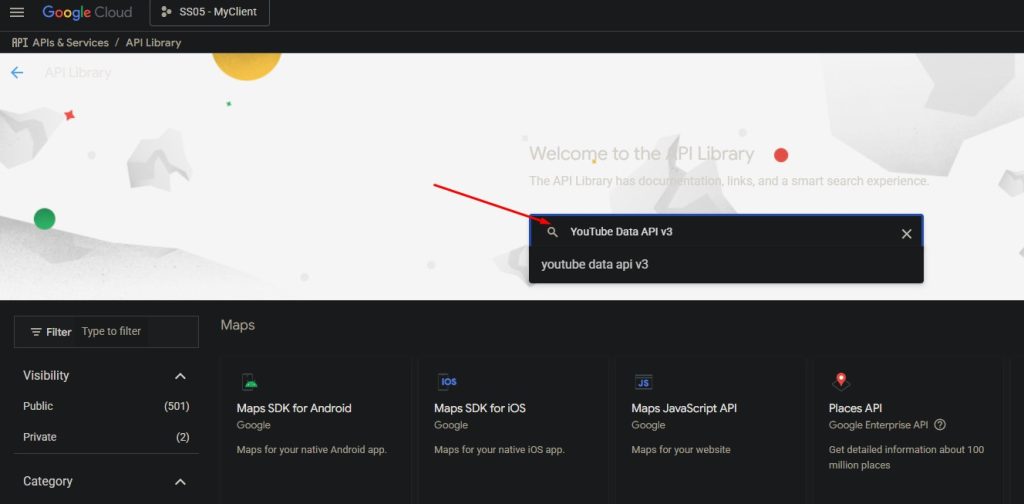
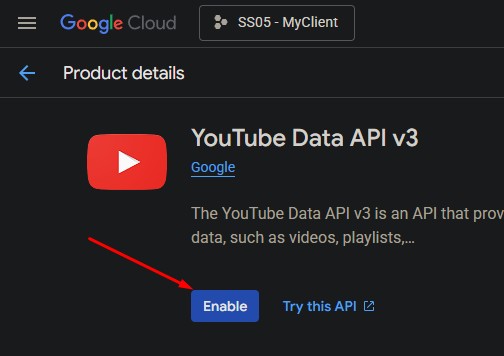
5. Click Enable.
2️⃣Create OAuth 2.0 Credentials
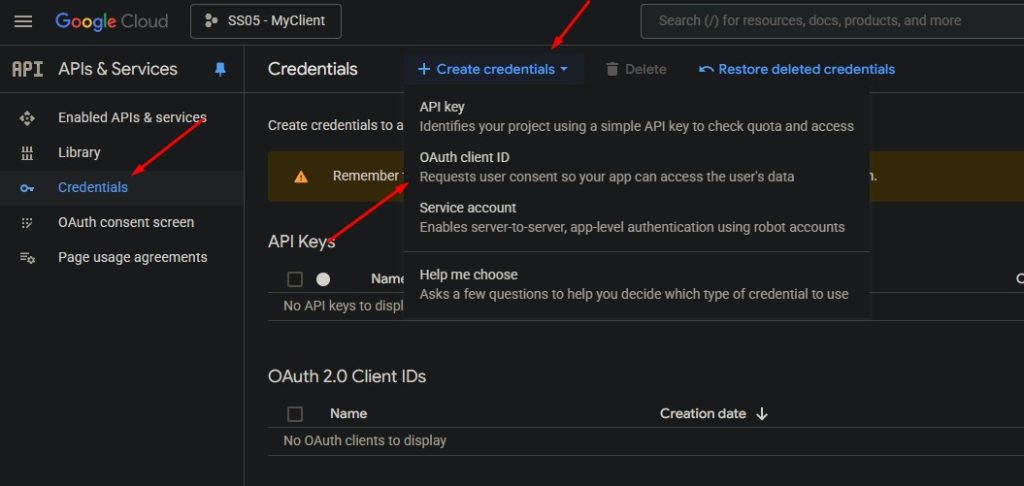
1. Go to APIs & Services → Credentials.
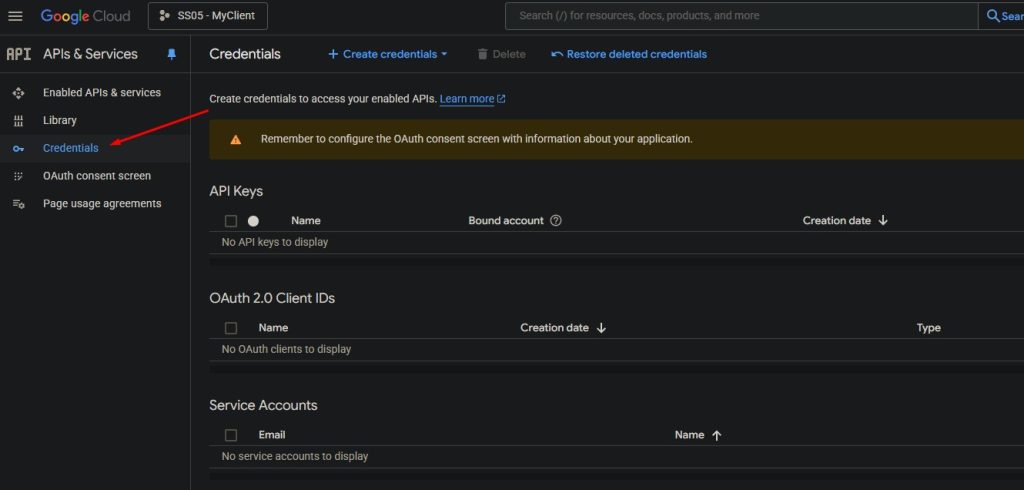
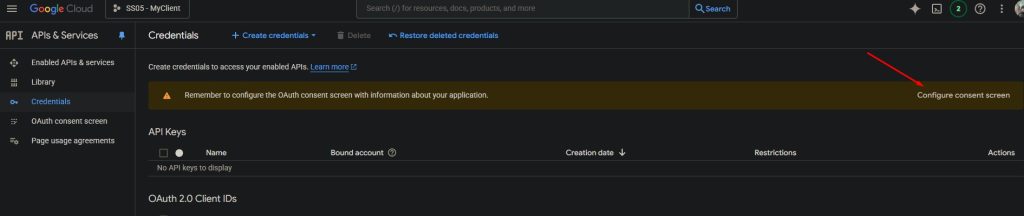
2. If the OAuth consent screen has not been configured yet:
- Open OAuth consent screen.
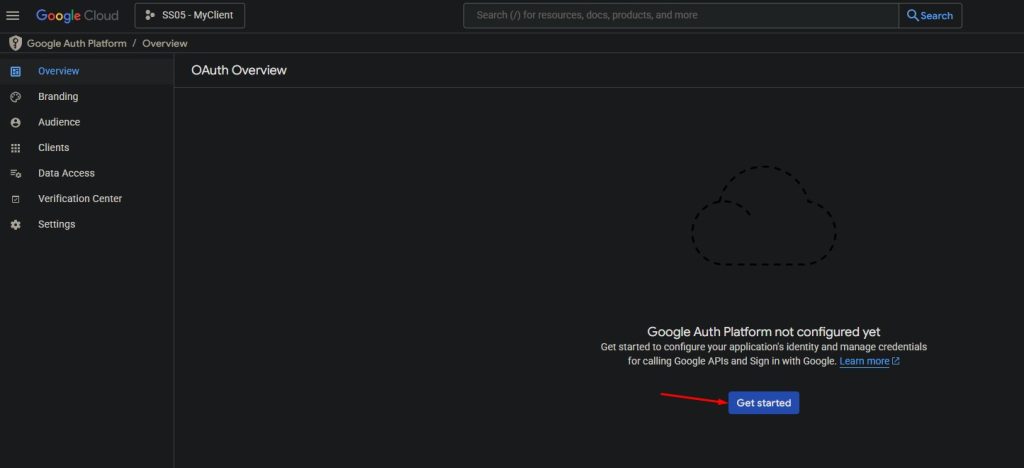
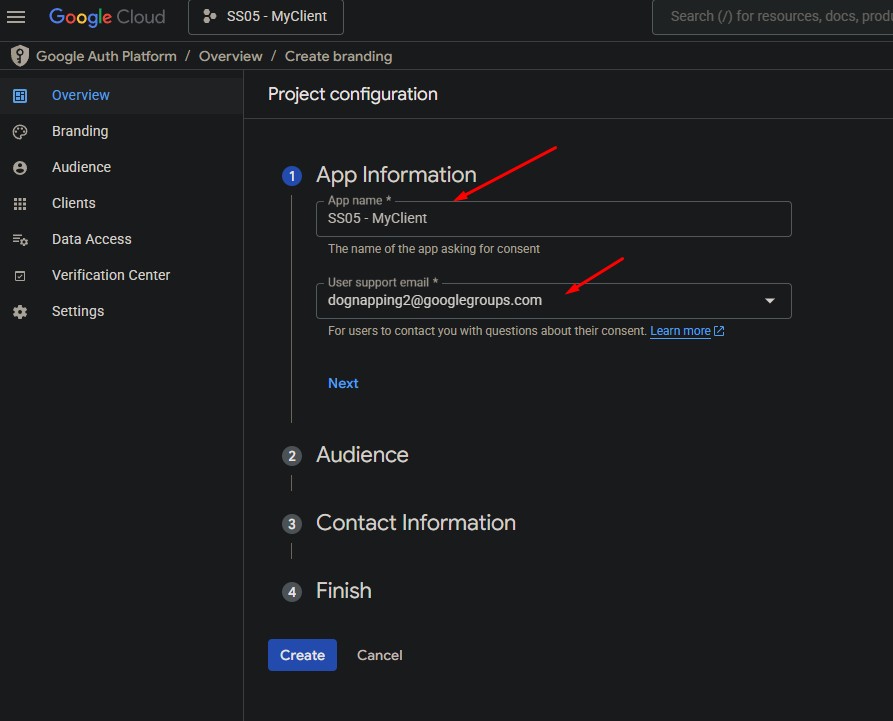
Fill in the application information (App Name, Support Email, etc.).
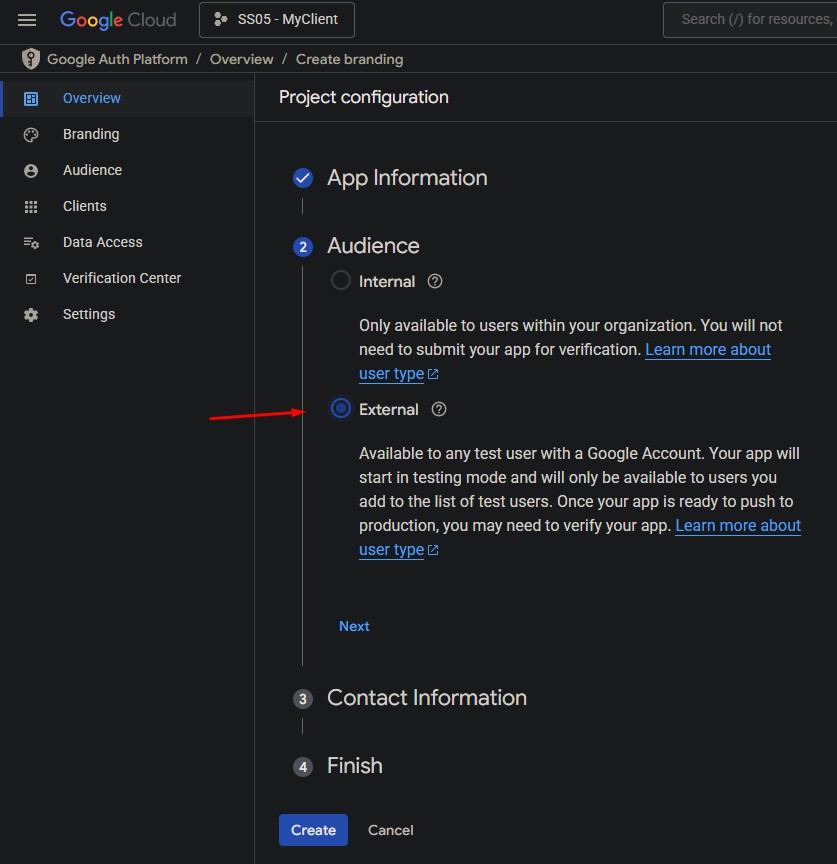
- Select External (if your app is used outside your organization).
Enter your own email.
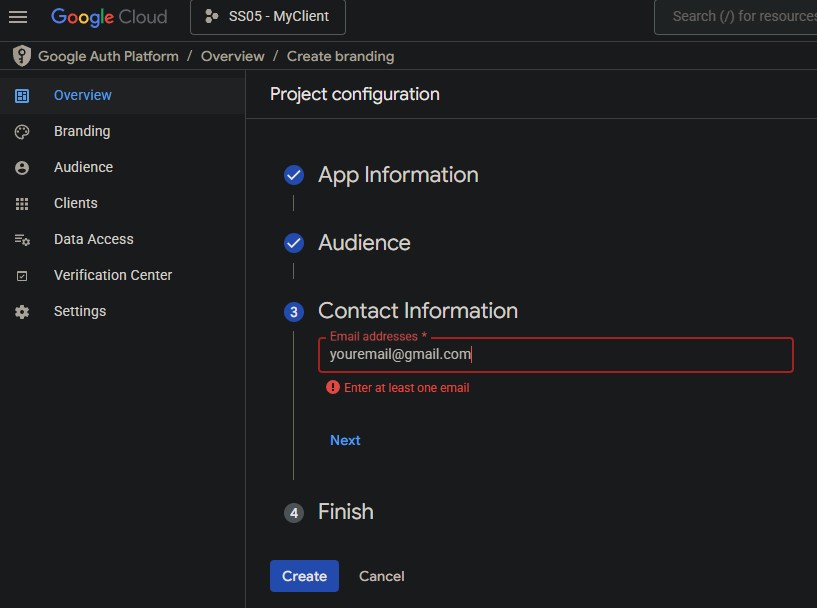
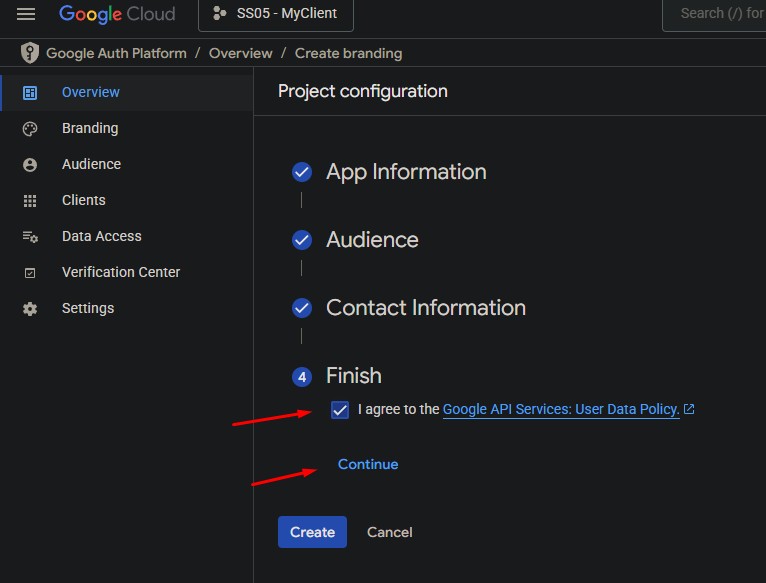
- Click Create button to finish.
3. Create Client ID
Go back to Youtube API Credentials,
If your project name not is ss05-myclient, then enter your onw project name.
https://console.cloud.google.com/apis/credentials?project=ss05-myclient
Click Create Credentials → OAuth Client ID.
Enter a recognizable name (e.g., My Desktop App Client).
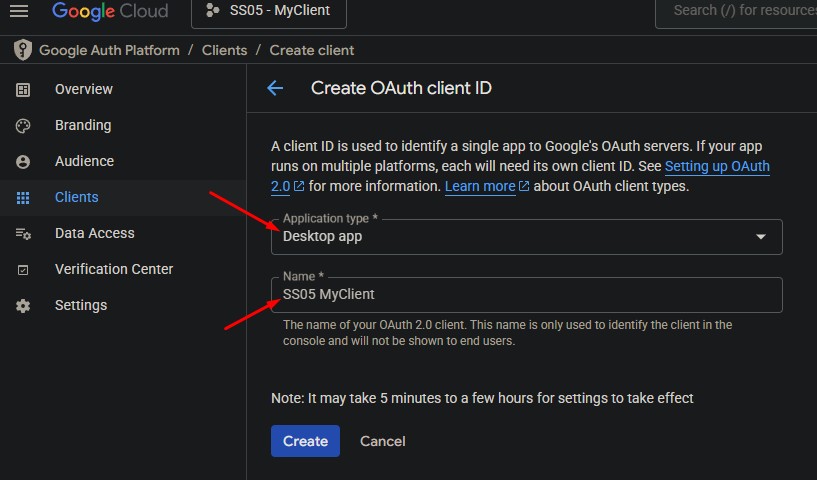
Click Create.
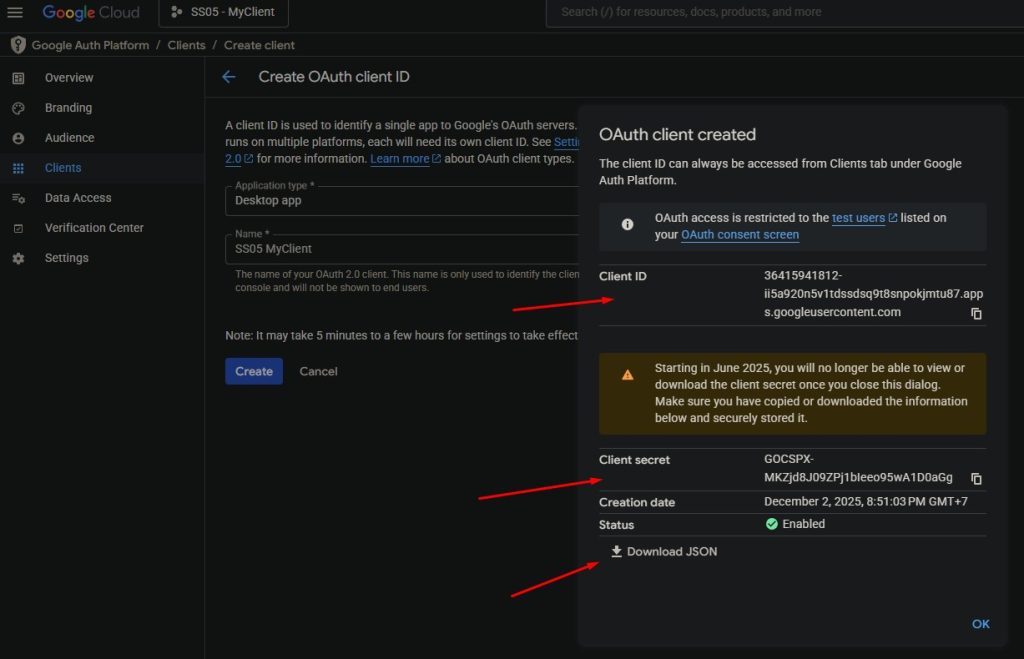
Save the Client ID and Client Secret somewhere safe.
Download the credentials → you will receive a JSON file like:
client_secret_XXXXX.json
4. Add your email to Client
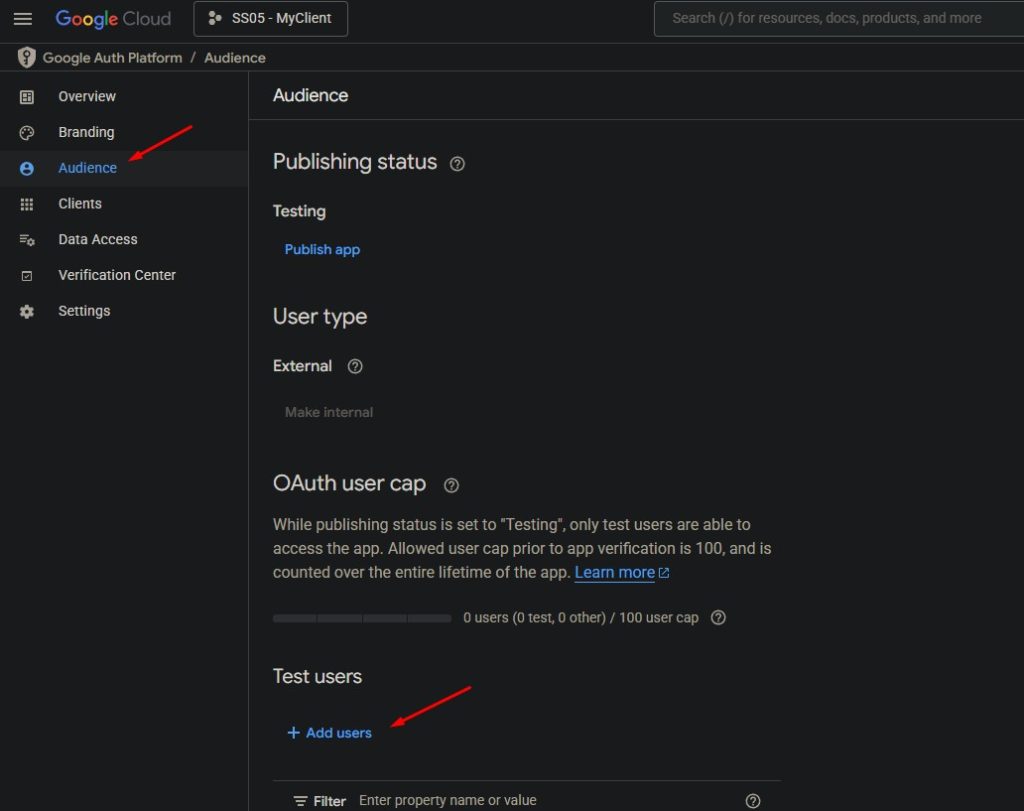
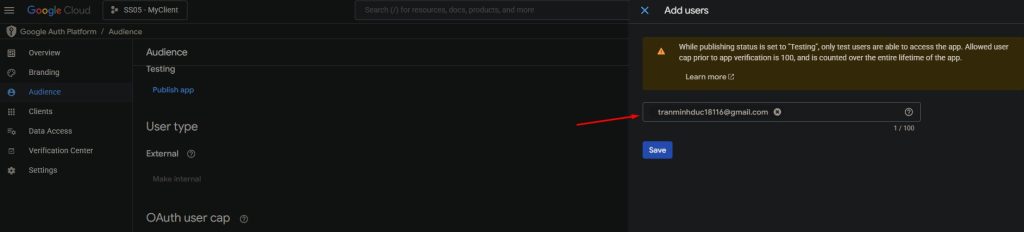
3️⃣ Copy the Client Secret File to Your Application Folder
- Locate your downloaded
client_secret_XXXXX.jsonfile. - Copy it into the root directory of your application, next to your main startup file
(e.g.,main.js,app.exe,App.cs, etc.).
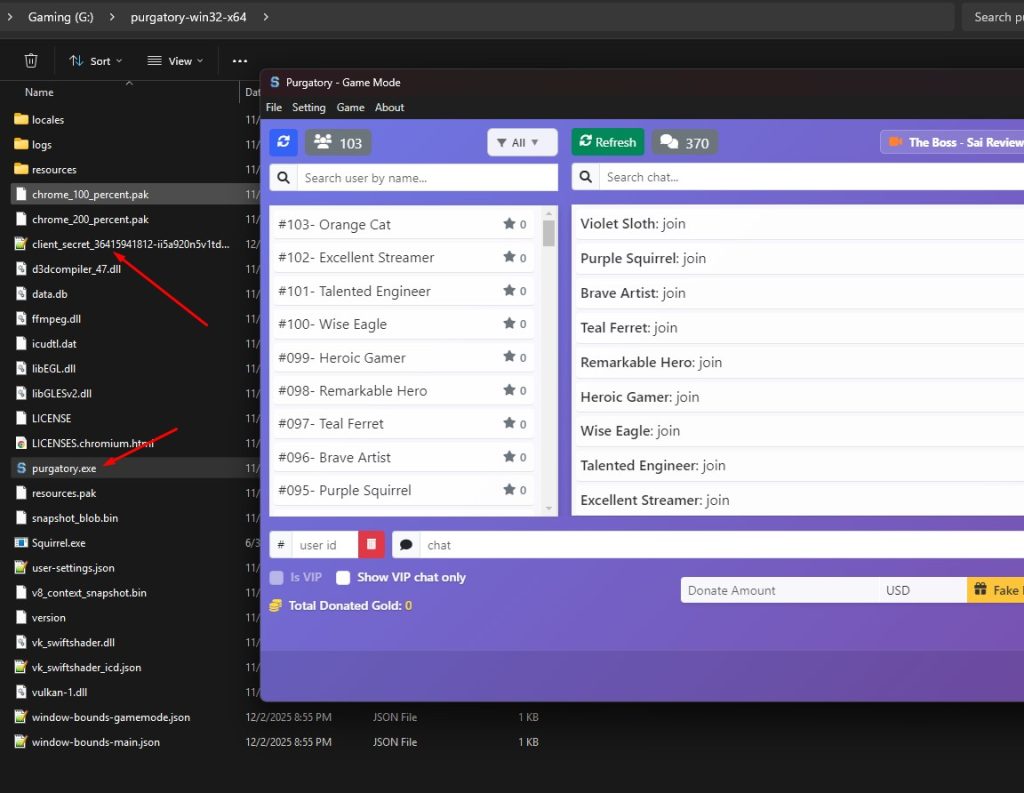
⚠️ Do not share this file with anyone.
4️⃣ Restart Your Application
Run your app again. The application should automatically detect the client secret file.
Click Connect Youtube button
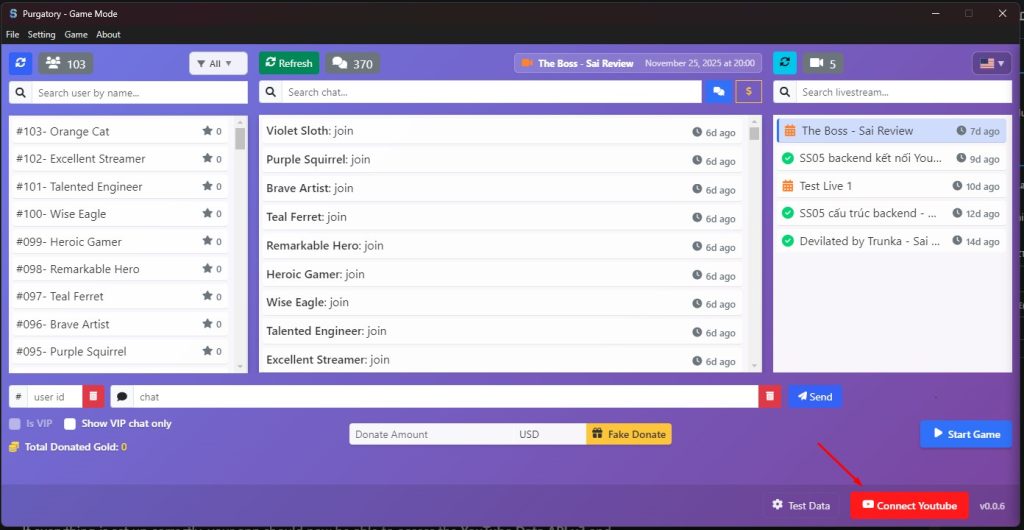
Choose your Gmail
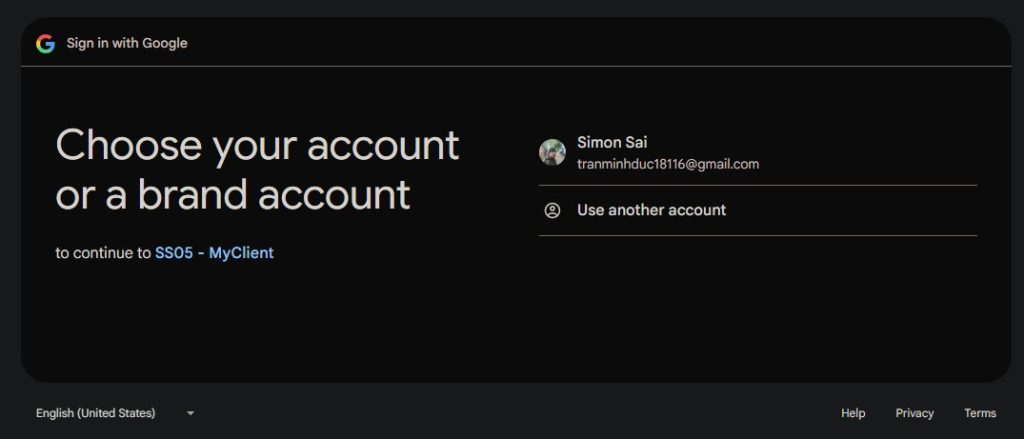
Once authenticated, your app will receive an access token (and possibly a refresh token if configured).
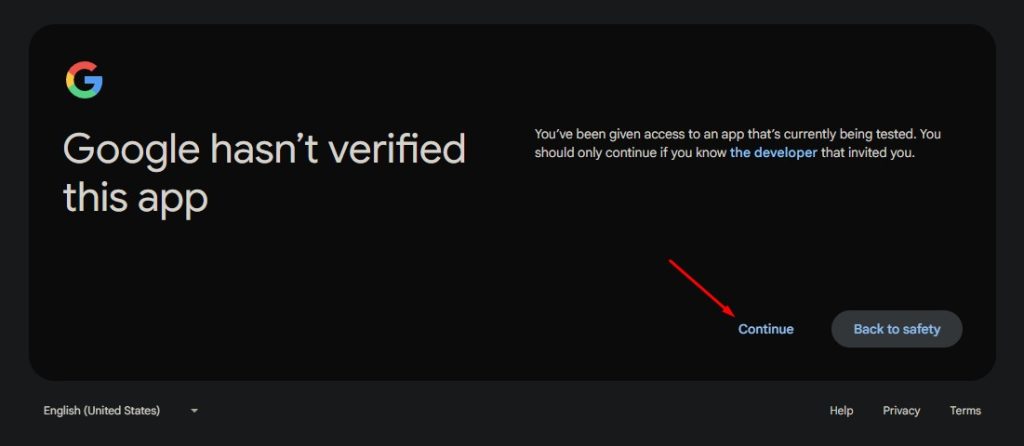
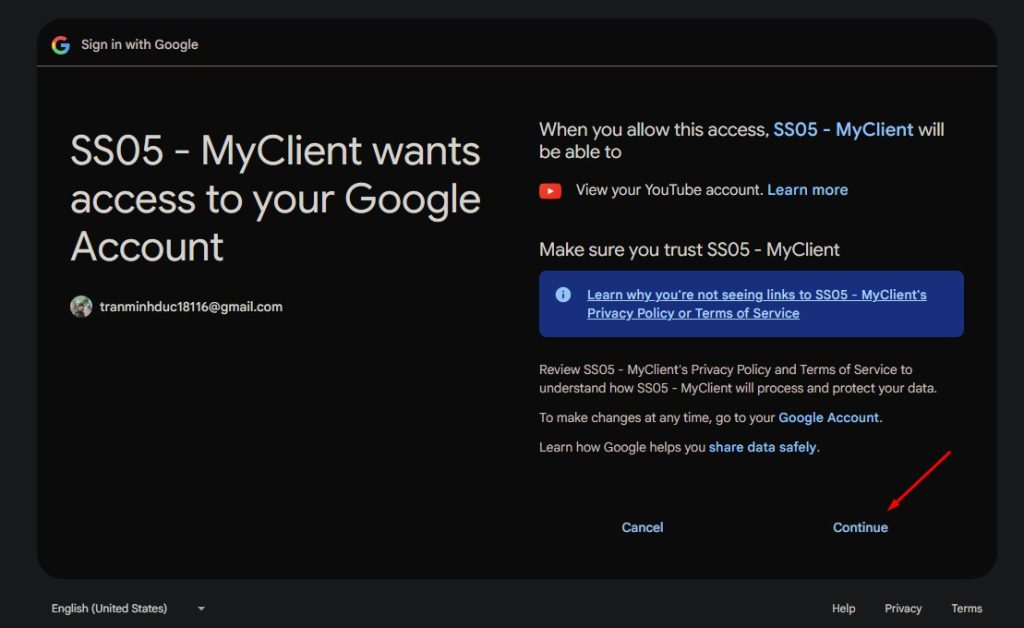
5️⃣ Verify Successful Authentication
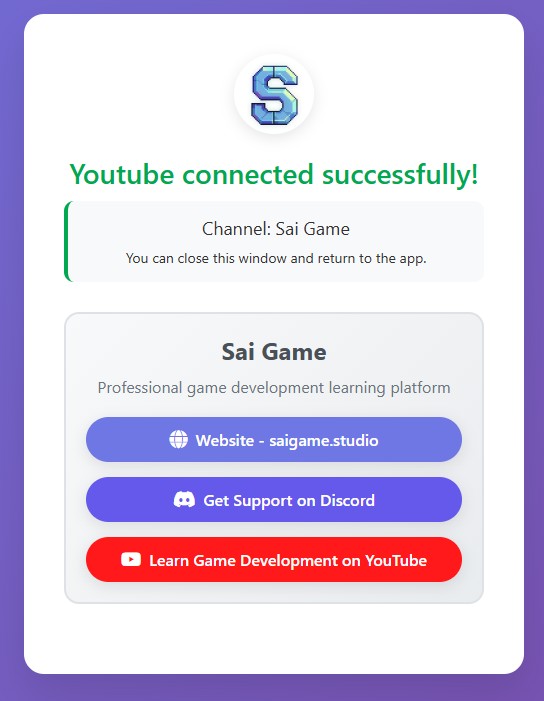
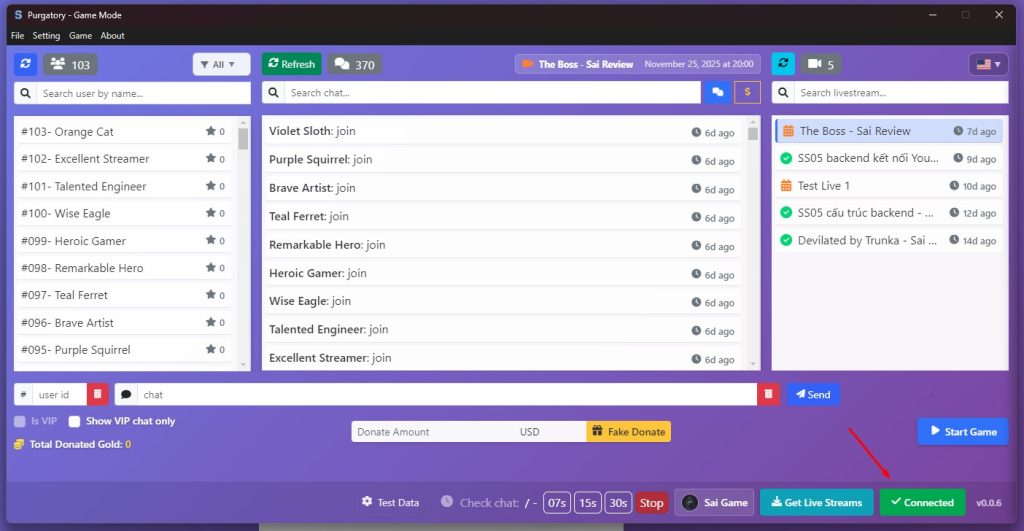
📝 Additional Recommendations
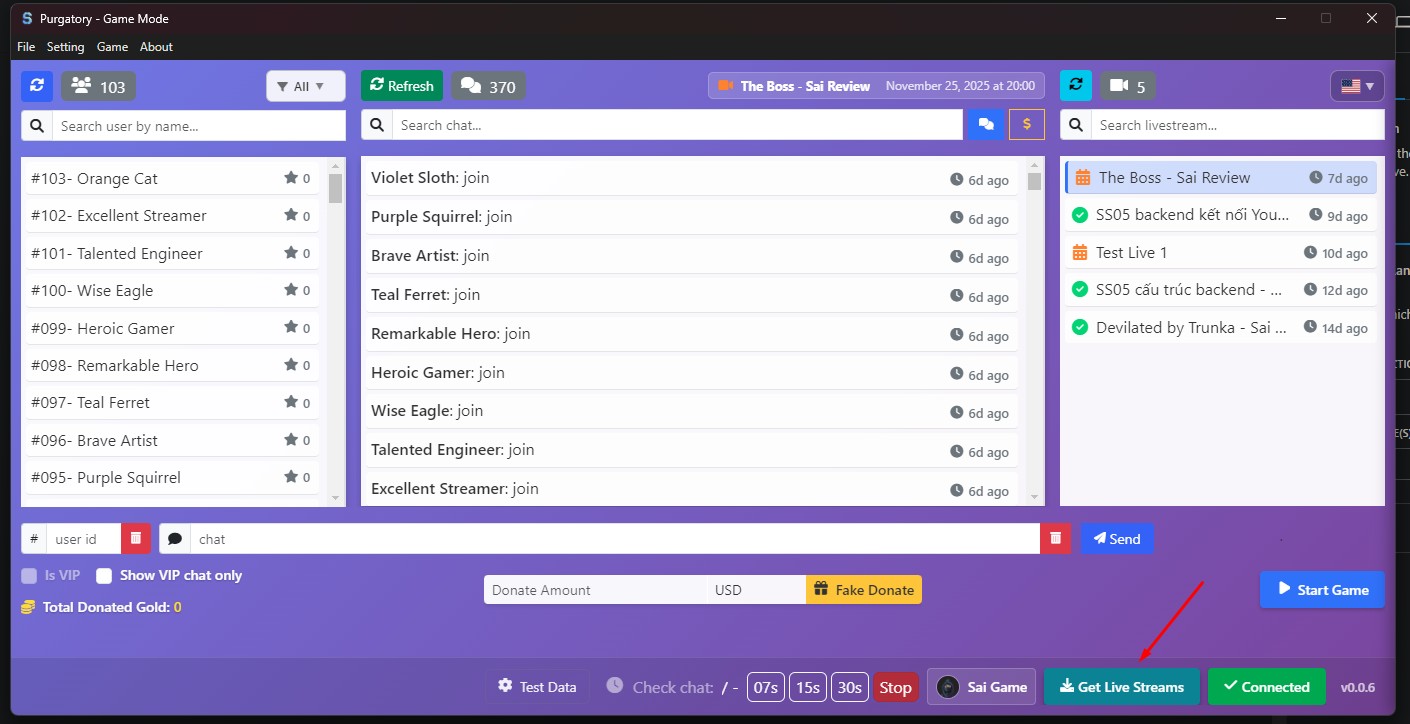
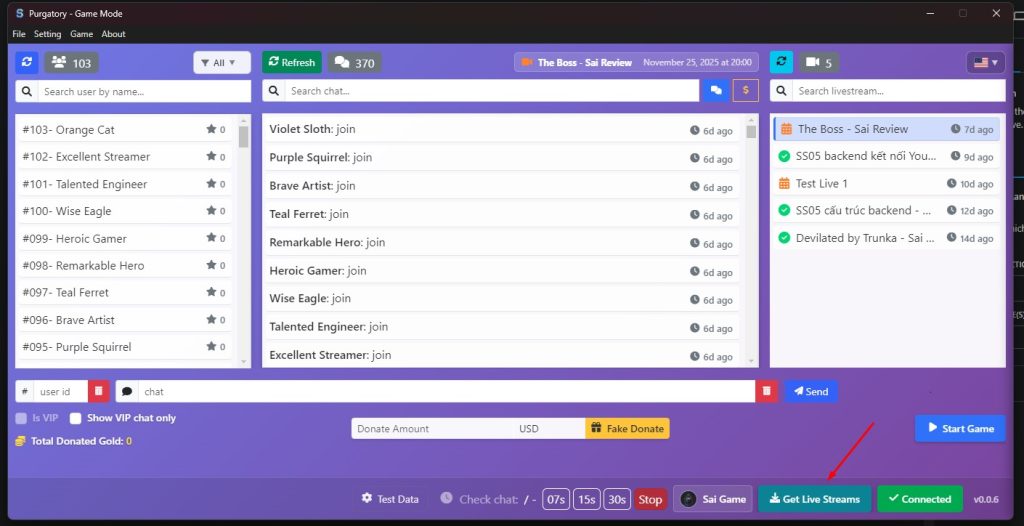
Now you can click Get Live Streams to see your past and upcoming live streams.
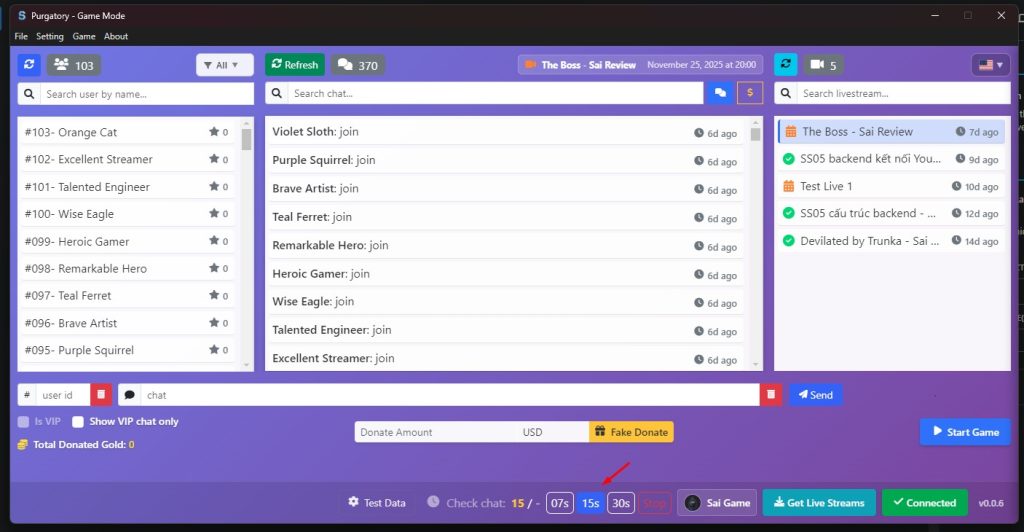
When starting a live stream, choose a time interval, 15 seconds is recommended
That’s all, have fund.
No responses yet